
Manual / Getting started / Navigating the Clubwise back office
Part 1 of 8, Getting started
Navigating the Clubwise back office
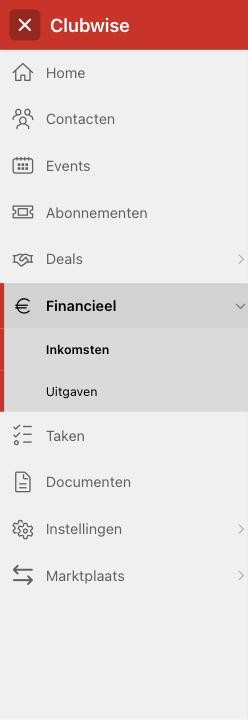
When you sign in to your back office you see a fixed navigation bar on the left. Each module is a separate item; some (Deals, Finance, Settings, Marketplace) have a submenu that opens as soon as you click it.
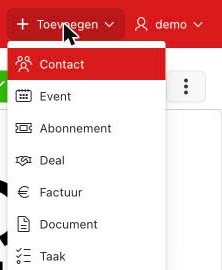
At the top you find two fixed buttons that are available everywhere, whichever module you are in:
- Add — quickly create a new contact, event, season ticket, deal, invoice, document or task, without navigating to the right module first.
- User menu (top right) — your account and signing out.
Tip: Not sure where something should be done? The “Add” button always works, everywhere — you never have to navigate to the right module first.
Did this answer your question?
Thanks for your feedback!