
Manual / Ticket App / Choosing seats on the seating plan
Ticket App
Choosing seats on the seating plan
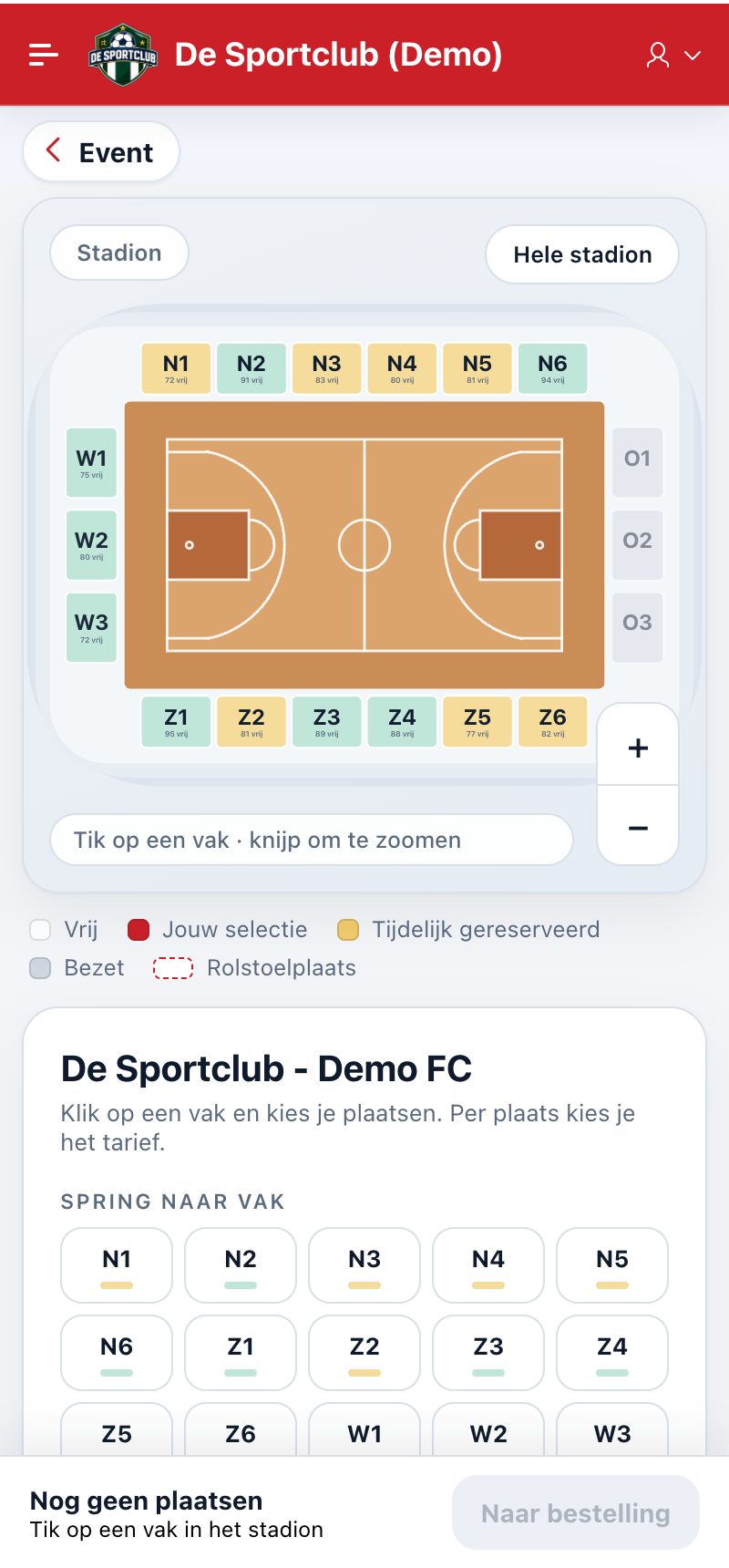
For events with a stadium or venue you choose your seats on the seating plan. You always see the whole stadium; sections where you cannot buy for this event are greyed out.
Choosing a section and your seats
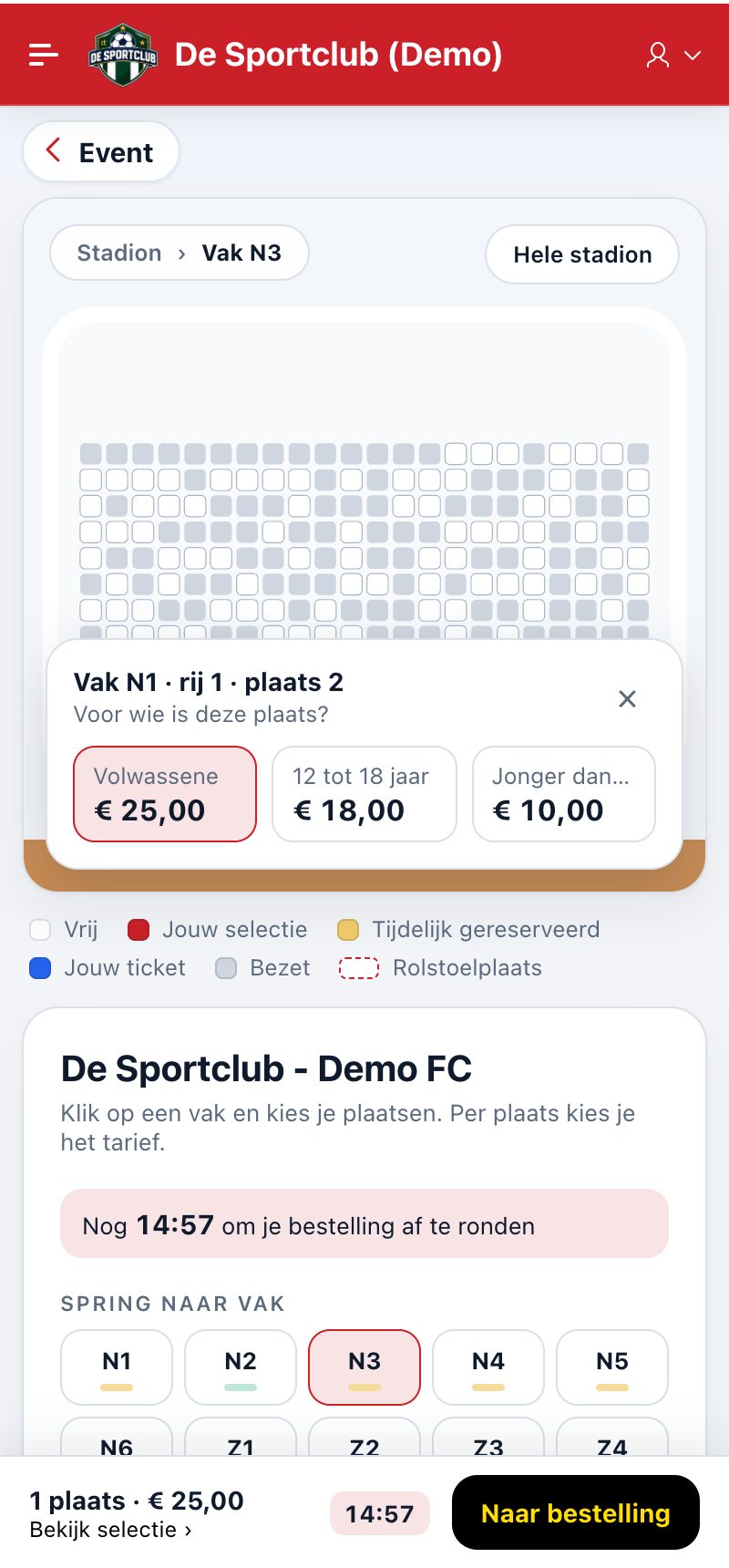
- Tap a section in the stadium, or choose it under Jump to section. You can zoom in and out and move the plan.
- Tap a free seat and choose who the seat is for: the price category, e.g. adult, 12 to 18 years or under 12, with the price.
- Repeat this for every seat. Tapping a selected seat again removes it.
The colours
- Free: you can choose this seat.
- Your selection: the seats you have chosen.
- Temporarily reserved: someone else is buying this seat.
- Reserved (renewal): seat of a season ticket holder who can still renew their season ticket.
- Taken: already sold.
- Wheelchair space: a wheelchair space.
Your time
The app holds a selected seat for you for a fixed time; you see the remaining time with your selection. If you don't complete within that time, the seats become available again. Tap To order to continue.
Did this answer your question?
Thanks for your feedback!